Best fire extinguisher inspection app for field technicians on the go
April 24, 2026
1
min read

Fire extinguisher inspections are often done in tough, offline environments. Uptick stands out as a mobile-first platform that connects inspections, scheduling, defect tracking, and reporting, helping field technicians stay compliant, efficient, and fully supported on the go.
Anyone who’s done fire extinguisher inspections in the field knows the challenges that come with it.
You might be working in a basement with no signal. Or moving through tight plant rooms with a torch in one hand and a scanner in the other. Or trying to complete a stack of inspections while also logging photos and keeping everything compliant with NFPA 10 requirements.
Most desktop-first systems don’t really account for that environment. That’s why fire protection companies are increasingly turning to mobile-first tools designed specifically for field technicians.
So what’s the best fire extinguisher inspection app for technicians on the go? It depends on how your team works, how complex your sites are, and how much you rely on mobile workflows versus office admin support.
Below is a comparison of some commonly used fire inspection tools that have offline capabilities for those on the go.
What’s the best fire extinguisher inspection app?
There isn’t a single “best” app for every team, but there is a clear pattern in how these tools are used depending on your workflow needs.
For technicians focused on completing inspections in the field, tools like GoAudits are commonly used for mobile checklists, photo capture, and structured inspection reporting that can be completed on-site.
For teams that need strong asset-level control, InspectNTrack is used to link inspections directly to tagged fire equipment, often using barcode scanning to maintain accurate extinguisher records.
For fire protection contractors managing both inspections and wider service delivery, ServiceTrade is used to handle scheduling, inspection workflows, service jobs, and customer communication within a single system.
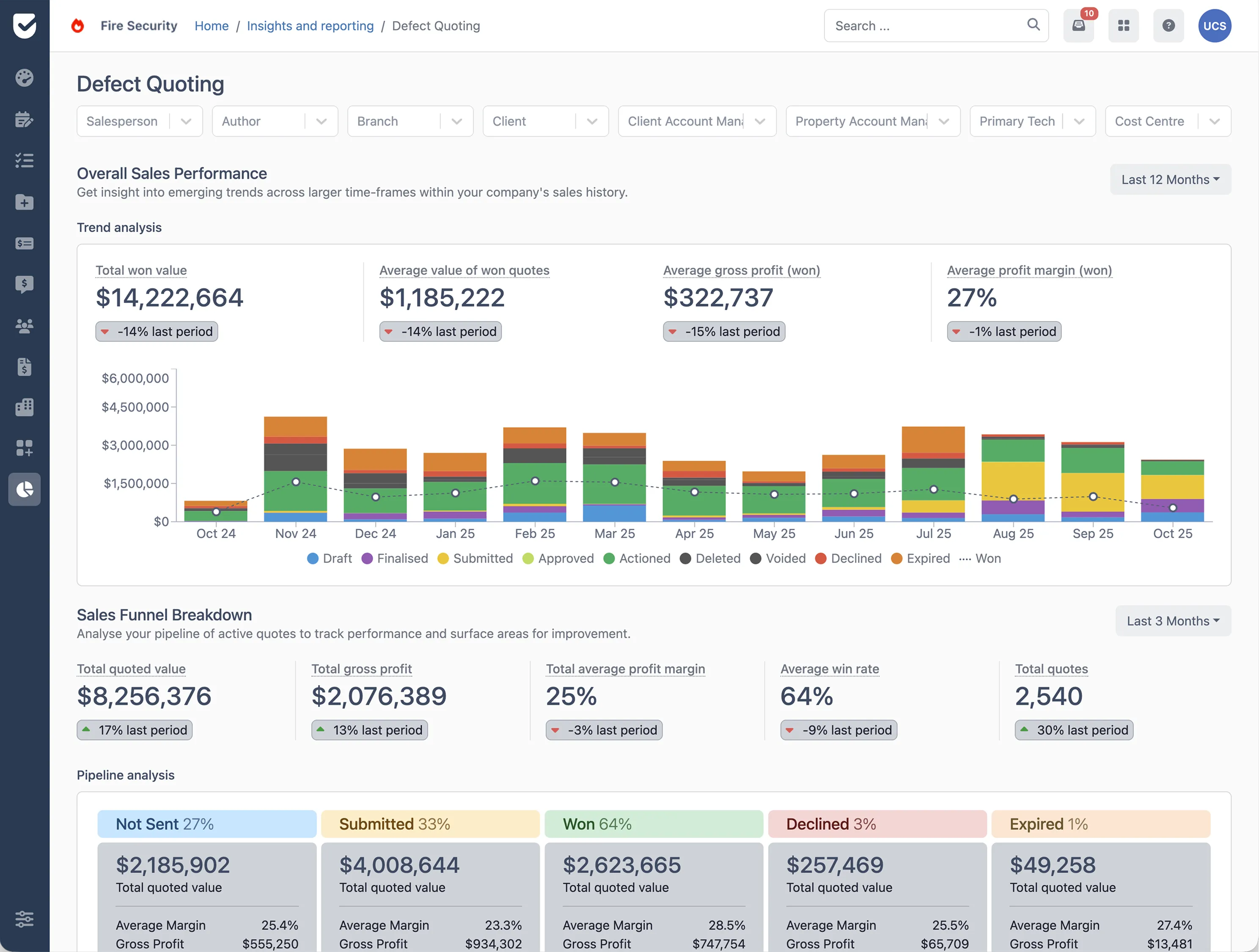
For fire protection businesses that want to connect inspections with scheduling, reporting, defect management, and follow-up work, Uptick is used as a fire protection workflow platform that brings these steps together. It supports mobile inspections, inspection scheduling, recurring job management, defect capture, quoting from inspection findings, and reporting across assets and jobs.
Why Uptick stands out for on the go field technicians
Uptick is designed for fire protection teams that need to manage inspections in the field and connect them back to the wider service workflow.
It brings together fire inspection software, scheduling, and reporting in one system so technicians can complete inspections on mobile devices, even in offline environments. Jobs can be scheduled in advance, recurring inspections can be set up to reduce missed visits, and field teams can log defects and generate follow-up work directly from inspection results.
By combining fire extinguisher inspection software capabilities with mobile workflows and reporting tools, Uptick supports technicians in completing inspections more consistently while helping office teams stay across compliance requirements and upcoming work.
Interested in seeing how Uptick can support your field technicians with fire extinguisher inspections? Get a demo today.

Do fire extinguisher inspection apps work offline?
Yes, many fire extinguisher inspection apps support offline use. This allows technicians to complete inspections in areas without reception then once the device reconnects, data syncs back into the system automatically, keeping inspection records accurate and up to date without re-entering information.
Can fire extinguisher inspection software generate reports automatically?
Yes. Most fire extinguisher inspection software can automatically generate reports once an inspection is completed. The system compiles inspection data such as asset condition, notes, photos, and any defects into a structured report. This helps reduce manual paperwork and supports consistent reporting across fire protection teams.
What’s the difference between mobile inspection apps and desktop fire inspection software?
A fire extinguisher inspection app (or mobile app) is used in the field to complete inspections on-site. It allows technicians to scan assets, log findings, take photos, and record results on the go. On the other hand, desktop fire inspection software is typically used in the office to manage scheduling, review completed inspections, track compliance, and generate reports. Many systems combine both, allowing field and office teams to work from the same inspection data.
How do I keep inspection records compliant with NFPA 10?
NFPA 10 sets out requirements for the inspection, maintenance, and testing of portable fire extinguishers in the United States. To stay compliant, inspections must be completed at required intervals and properly documented. Using fire inspection software helps technicians record inspections on-site, ensuring details like location, condition, and inspection date are captured accurately. This makes it easier to maintain consistent records for audits and compliance checks.
Can one app handle both extinguisher and suppression system inspections?
Yes. Many fire inspection software platforms support multiple asset types, including fire extinguishers, alarms, sprinklers, and suppression systems. These systems use different inspection templates within the same platform so technicians can follow the correct process for each asset type.
How does barcode scanning work for fire extinguisher inspections?
Barcode scanning is a common feature in fire extinguisher inspection software. Each extinguisher is assigned a unique barcode or QR code that technicians scan during inspections. The scan brings up the asset record, including its location, inspection history, and maintenance details.
What else do you need to know?
How long does it take to get started with Uptick?
The biggest factors determining the length of the onboarding process are:
- The size of your team and their training requirements
- The quality and ease of export of your data
Most companies can get up and running within 2 months.
What platforms and devices does Uptick work on?
Uptick lives in the cloud. That means Uptick is available for your desk/office users on any device (Mac, PC or Linux) via your browser with no additional software downloads.
For your field licenses, on-site staff can use either Apple or Android devices. Our fire safety management app is available in the App store on Apple devices, and the Google Play store on Android devices.
How does Uptick compare to other products?
Uptick is the only modern cloud-based solution that is purposely built for the fire protection industry.
Many alternative solutions are either generic job management platforms that you will need to tailor to your business and/or do not have the same modern cloud-based capabilities.
How does Uptick protect and secure my data?
Uptick takes data security seriously. Our customers include some of the largest companies in the industry. As we work directly with government and banking clients we have have successfully passed through rigorous security auditing and penetration testing.
In addition to being secure, we work hard to provide a reliable service. Customers on Uptick can expect an uptime of 99.95% (including scheduled maintenance). This translates to an average of less than 5 minutes of business-hour downtime per month for office users and no downtime for technicians. If you're a large enterprise and want monetary guarantees around reliability, we offer dedicated hosting and Uptick Support SLAs.
How does Uptick pricing work?
Uptick charges a simple per-user monthly fee for each of your desk and field users. Customer and sub-contractor licenses are unlimited and free.