The US fire protection system testing and inspection market continues to grow. With strict compliance requirements and regulations in place, companies can’t afford to slip up when it comes to managing inspections, maintenance, and reporting.
As service volumes increase, many fire protection businesses find that spreadsheets, paper forms, or generic job management tools struggle to keep up. Managing inspection schedules, tracking compliance records, and coordinating field technicians can quickly become complex and risk-prone.
This is where specialised fire protection software can make a significant difference. The right system helps companies streamline inspection workflows, maintain accurate compliance records, and manage service schedules more efficiently.
But not all solutions offer the same capabilities. When evaluating fire inspection software, it’s important to understand which features will support your operations now and as your business grows.
In this blog, we’ll explore the key features fire protection companies should look for when choosing fire safety software.
Mobile and offline access for technicians
Technicians spend most of their time in the field, which means mobile accessibility is essential in any fire protection service software.
A good system should allow technicians to access job details, inspection forms, asset information, and service histories directly from their mobile devices. This ensures they have the information they need while on site, without needing to contact the office.
Offline access is equally important. Many inspections take place in buildings with poor connectivity. Fire inspection software should allow technicians to continue working even without an internet connection, syncing the data automatically once connectivity is restored.
This helps ensure inspections are completed efficiently without any disruptions.
Customisable digital inspection forms
Inspections sit at the heart of most fire protection businesses. As a result, digital inspection forms are one of the most valuable features in fire inspection software.
Instead of relying on paper forms, technicians complete structured inspection checklists directly within the software. These forms guide technicians through the required checks, helping ensure inspections are consistent and compliant.
The best fire protection software also allows companies to customise inspection forms to match local standards, customer requirements, or specific asset types. This flexibility is important for businesses working across multiple jurisdictions or managing a wide range of fire safety systems.
Digital forms also simplify documentation by automatically recording inspection results, creating clear reports, and storing records in one central location.
Photo documentation and annotations
During inspections, technicians often need to record issues that they may find.
Modern fire safety software allows technicians to capture photos directly within inspection reports. These images provide valuable documentation that supports inspection findings and helps communicate issues clearly to customers.
Some platforms also allow technicians to add annotations or notes directly to images. This makes it easier to highlight specific problems and explain what needs to be repaired or replaced.
Photo documentation not only improves communication with customers but also provides a reliable record for compliance and auditing purposes.
Integration with other business systems
Fire protection companies often rely on multiple systems to manage their operations. These may include accounting software, CRM systems, inventory tools, or customer portals.
Fire protection software should integrate with these systems to reduce manual data entry and make life easier.
For example, integrations can allow customer information, invoices, or asset records to sync automatically between systems. This helps ensure information remains accurate across the business while reducing admin work.
When evaluating fire protection service software, it’s worth considering how easily it can connect with the tools your business already uses.
Recurring inspection scheduling
Fire protection work often involves recurring inspections and maintenance schedules. Fire extinguishers, alarms, sprinklers, and other systems all require regular servicing to remain compliant.
Specialised fire inspection software allows businesses to schedule recurring inspections well in advance. Jobs can be automatically generated according to service intervals, ensuring technicians know exactly what work needs to be completed and when.
This helps businesses stay on top of compliance requirements while also improving workforce planning.
Sales quoting and remedial work management
Inspections frequently identify issues that require repairs, replacements, or upgrades. Being able to move quickly from inspection to quoting is an important capability for many fire protection companies.
Look for fire protection software platforms that include built-in quoting tools that allow teams to generate quotes for remedial work directly from inspection findings.
For example, if a technician identifies faulty equipment during an inspection, the issue can be logged in the system and converted into a quote for repair or replacement.
Why Uptick is the best fire inspection software on the market
Most job management platforms are generic, but Uptick fire protection software platform is built specifically for fire protection companies. It brings inspections, scheduling, quoting, billing, and reporting together in one system, making day-to-day operations simpler and more reliable.
Key ways Uptick supports fire protection workflows include:
- Smart scheduling: Plan efficient routes, schedule recurring inspections, and let technicians pick up extra jobs nearby.
- Digital inspection forms: Complete forms on-site using mobile devices, with templates built around local standards. Customisable forms and drop-down deficiency lists make inspections faster and more accurate.
- Sales and quoting: Create and send quotes directly from a property record, with customers able to approve online.
- Billing and contracts: Automate recurring invoices, manage contracts in bulk, and track payments in real time.
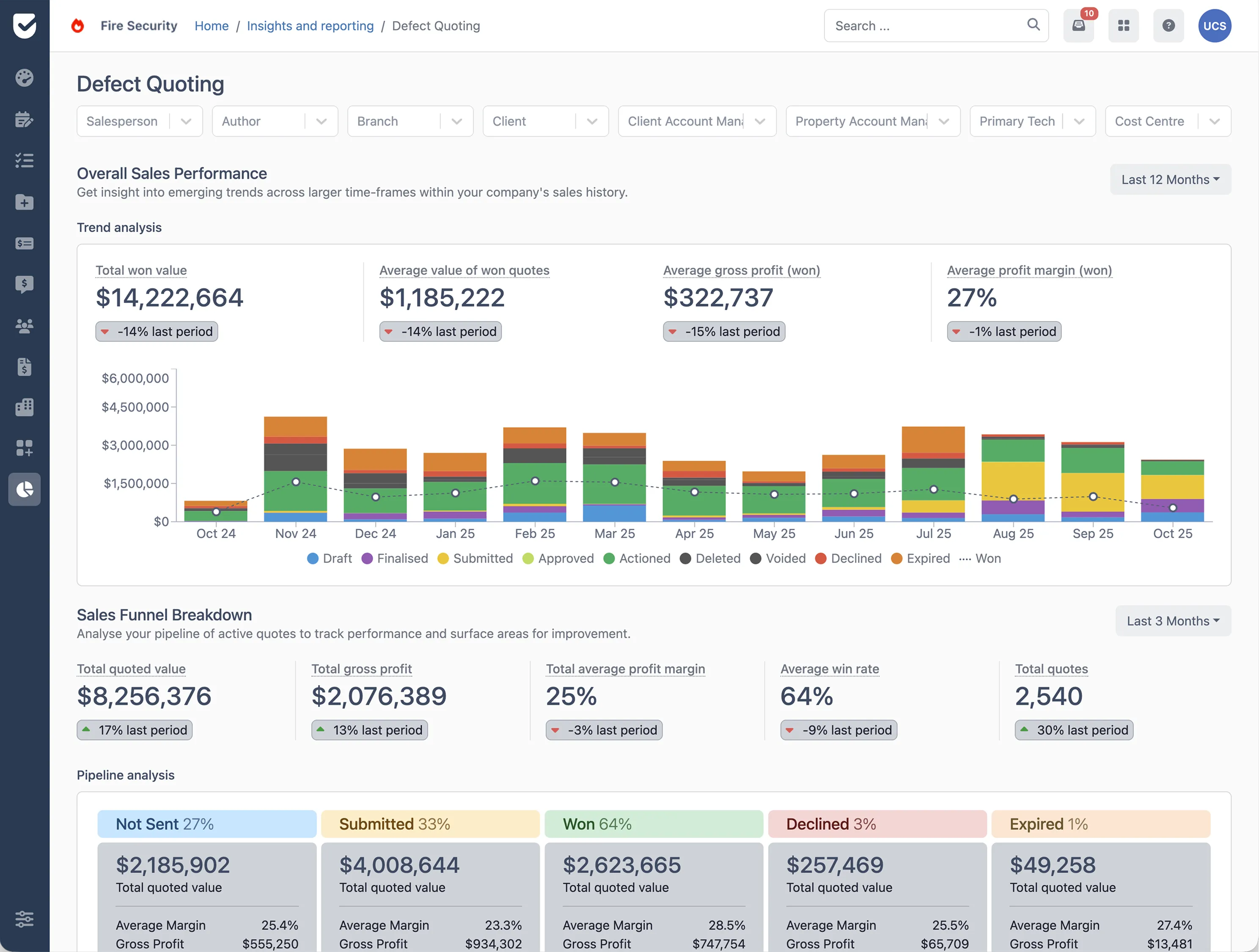
- Insights and reporting: Access live dashboards for operations, finance, and sales, no third-party tools required.
If you’re interested in finding out how Uptick can give your team everything they need to operate at their best, book a demo today.