Running fire alarm inspections at scale is a big job. Days are spent scheduling inspections on time, following consistent procedures, recording accurate results, managing defects, and producing reports that stand up to audits.
For fire inspection companies and service providers, spreadsheets and paper-based systems often become a pain. As teams grow and inspection numbers increase, manual processes make it much harder to stay compliant.
That’s why many businesses are moving to fire alarm inspection management software to support their work.
This guide breaks down the key features to look for in fire alarm inspection software, so you can choose a system that supports technicians in the field, office teams behind the scenes, and managers responsible for keeping everything running smoothly.
What is fire alarm inspection management software?
Fire alarm inspection management software is designed to help fire inspection companies plan, complete, record, and report on fire alarm inspections.
Instead of using paper forms, businesses use software to manage inspection schedules, digital checklists, asset records, defect tracking, and inspection reports in one place.
The best systems are built specifically for fire services workflows, helping teams stay consistent, reduce admin, and maintain clear inspection records across all sites and clients.
Why the right features matter
Not all inspection software is built with fire alarm inspections in mind. Generic inspection or field service tools often lack the structure needed for compliance-focused work.
Choosing the right fire alarm inspection management software can help you:
- Reduce time spent on admin and double handling
- Ensure inspections follow consistent procedures
- Improve accuracy of inspection records
- Make audits and compliance reviews easier
- Scale your business without adding unnecessary complexity
Fire alarm inspection management systems in the US need to support compliance with NFPA standards, local AHJ requirements, and strict inspection documentation rules. The features below are the ones to look for if you want to run inspections efficiently while staying inspection-ready all year round.
Key features to look for in fire alarm inspection management systems
The right inspection management system should support everyone involved in the inspection process. The features below are the ones that tend to make the biggest difference in how smoothly inspection everything runs.
Flexible inspection forms
Inspection forms should be digital, accessible without internet, and adaptable to different fire alarm systems and inspection requirements. Look for software that allows forms to be updated without disrupting technicians.
Clear asset lists and equipment tracking
Technicians need accurate, up-to-date asset lists so they know exactly what is installed at each site. Systems that link inspections directly to individual assets reduce missed checks and improve overall record keeping.
Defect logging and quoting workflows
When issues are found during an inspection, they should be recorded immediately and flow into a follow-up process. Software that supports defect tracking and quoting helps to make sure repairs are documented and actioned.
Site layouts and floorplans
Visual tools like floorplans help technicians understand where devices are located and reduce time spent searching when on-site. This is especially helpful for large or complex buildings with multiple zones.
Smart scheduling and workload planning
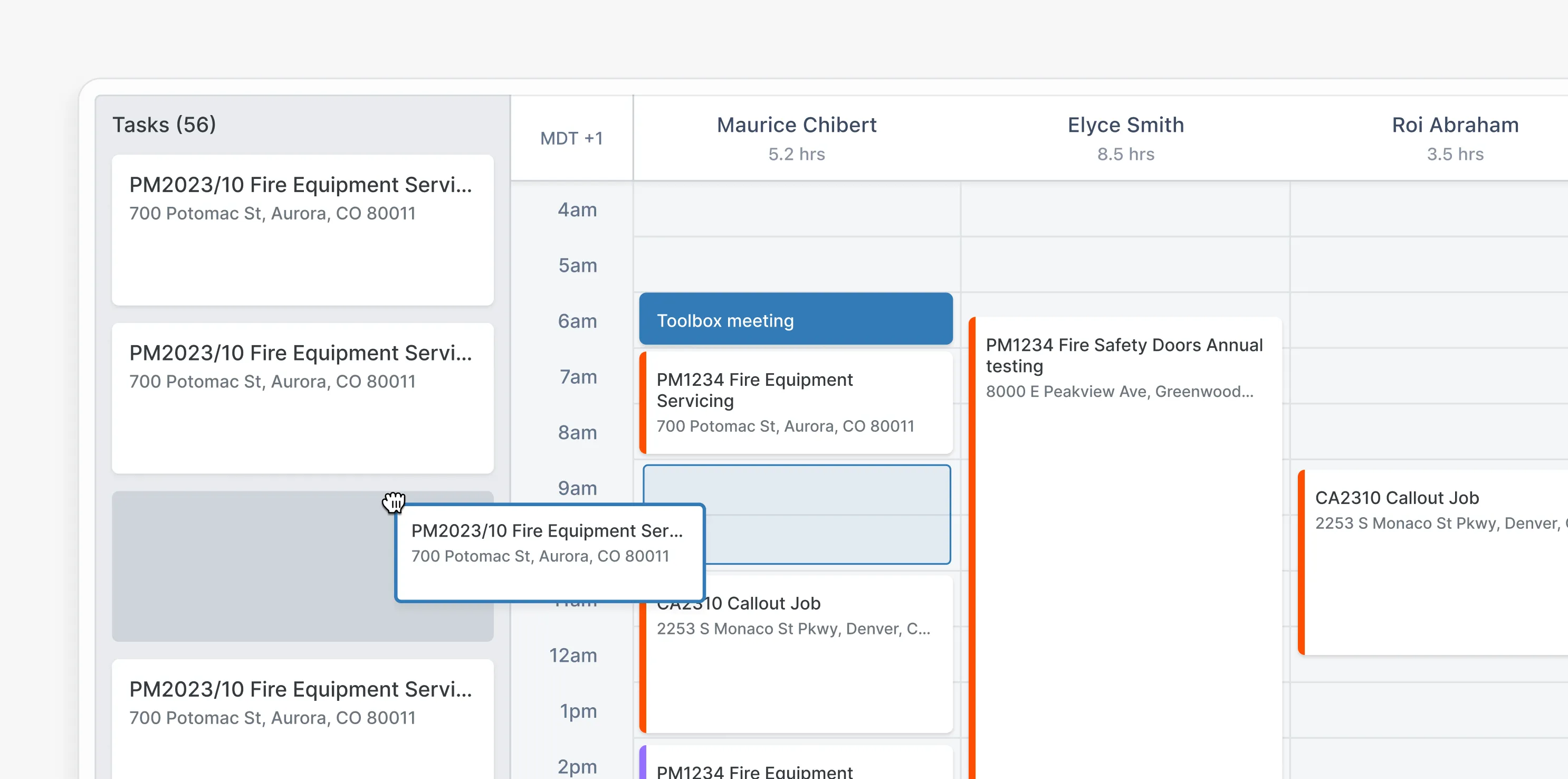
Inspection schedules should be easy to manage and flexible enough to handle recurring inspections, urgent call-outs, and technician availability. Tools that automate scheduling can reduce admin time and help teams stay ahead of deadlines.
Support for sales, billing, and invoicing
Inspection data should connect naturally to quoting, billing, and invoicing processes. This avoids double handling and makes sure what’s inspected, quoted, and billed is consistent.
Inventory and parts management
For teams that carry stock, software with inventory tracking helps technicians know what parts are available and reduces delays caused by missing equipment.
Tools for managers and business owners
Beyond inspections, management features such as customer portals, timesheets, project tracking, and reporting provide great visibility across jobs, staff performance, and compliance status.
Insights and reporting
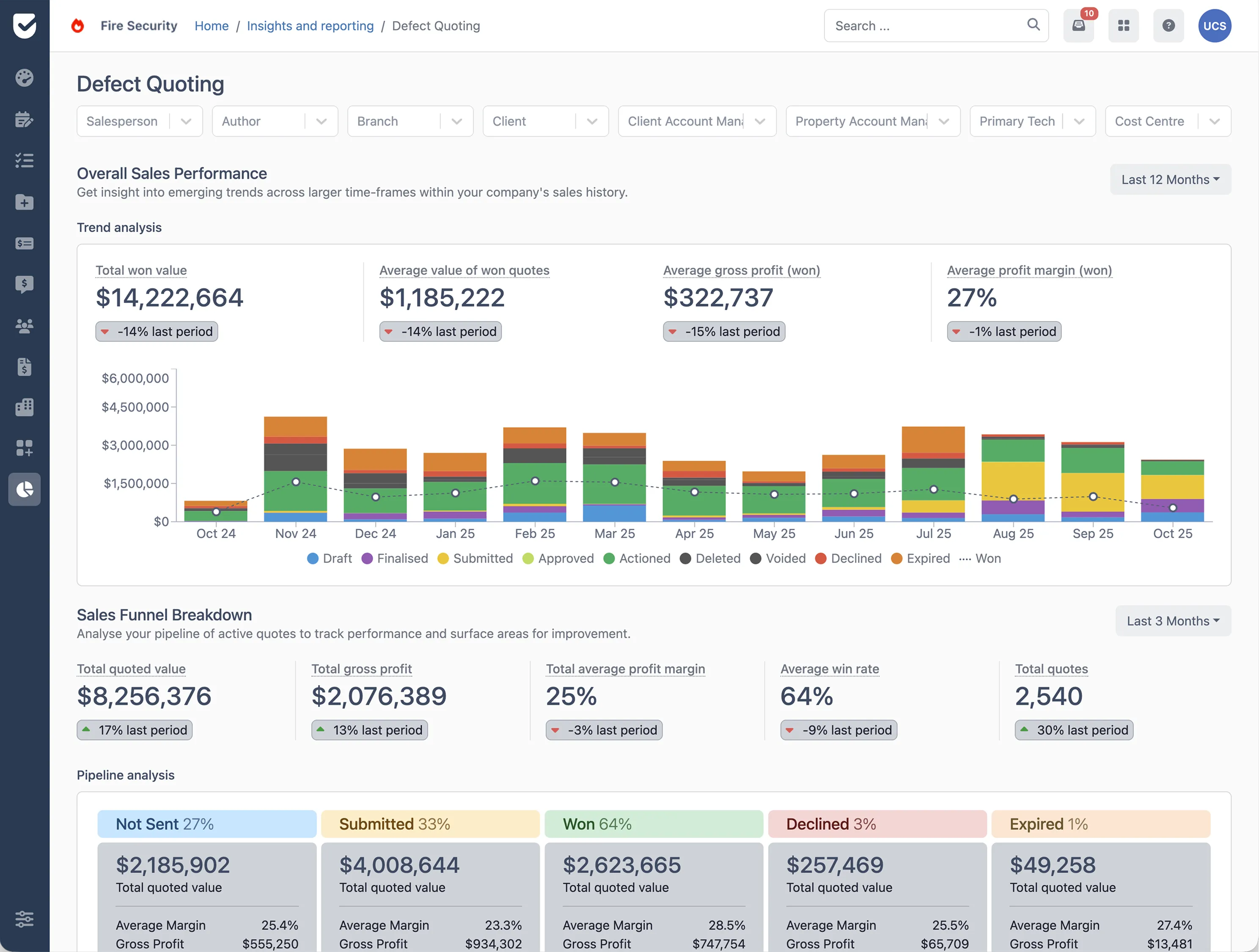
Good reporting tools turn inspection data into useful insights. This includes compliance summaries, inspection histories, defect trends, and operational metrics that support better decision-making over time.
How to evaluate fire alarm inspection management systems
Before choosing a platform, it helps to ask important questions such as:
- Does this software reflect how our inspections actually work?
- Will it reduce admin for technicians and office staff?
- Can it handle our inspection volume now and in the future?
- Are inspection reports clear and consistent?
- Is it easy to train new staff on the system?
The best fire alarm inspection software supports day-to-day operations without adding complexity.
Where platforms like Uptick fit in
Uptick is designed to support fire alarm inspection workflows, with tools that cover field inspections, office coordination, and management oversight in a single, easy to use system.
Rather than treating inspections as a standalone task, Uptick is designed to support the full flow of a fire alarm inspection business. From the moment a job is scheduled through to reporting, follow-up work, and billing, everything sits in one connected system. This makes it easier for teams to move from inspection to action without jumping between tools or re-entering the same information time and time again.
Fire alarm inspection software should do three things: reduce admin, make compliance easier, and help your team stay consistent day to day. If your current system is relying on spreadsheets or paper forms you’re likely spending more time managing the process than actually completing inspections.
For our US friends, compliance is critical. It’s about meeting NFPA standards, local AHJ requirements, and having documentation that holds up under review. The right software supports those needs without creating extra work.
Platforms built specifically for fire protection teams, like Uptick, are designed to support the full inspection workflow, from scheduling and asset tracking to reporting and billing, in one place. Book a demo today and see how Uptick can help your company conduct fire inspections. If you want to see how Uptick fits into your workflow, book a demo today and take a look around.