TL;DR:
AHJ reporting is manageable when you're servicing a handful of buildings. It becomes much harder when you're managing hundreds of inspections across multiple jurisdictions, each with different reporting expectations. The key is having consistent inspection processes, clear reporting workflows, and systems that help keep submissions accurate and on time. For many growing companies, software becomes essential as reporting volume increases.
As inspection numbers grow, AHJ inspection requirements become harder to keep track of across different cities, states, and jurisdictions. What starts as a manageable process for a small team can quickly turn into something that can get out of control as more technicians and job sites are added.
This article breaks down how growing fire protection companies manage AHJ reporting at scale, what changes as operations expand, and how fire inspection software is used to keep inspections and compliance under control.
What is an AHJ?
AHJ stands for Authority Having Jurisdiction. The term refers to the person, department, agency, or organization responsible for interpreting and enforcing fire and life safety codes within a specific jurisdiction.
Depending on the location, the AHJ may be:
- A local fire marshal
- A fire department
- A building official
- A state agency
- An insurance representative
- Another regulatory authority
They are the authority responsible for determining whether fire protection systems meet applicable code requirements and whether inspection records meet local expectations.
For fire protection contractors, the AHJ is often the organization reviewing inspection reports, deficiency documentation, and compliance records.
What are AHJ requirements?
While national standards such as NFPA 25 and NFPA 72 establish inspection and testing requirements, AHJ requirements often determine how that information must be documented and submitted locally.
Requirements may vary significantly between jurisdictions and can include:
- Required report formats
- Submission deadlines
- Deficiency reporting procedures
- Electronic filing requirements
- Record retention expectations
- Third-party reporting platforms
Some jurisdictions require reports to be submitted through systems such as the AHJ registry or other electronic reporting portals. Others may accept reports directly from contractors or building owners. The challenge is that there is rarely one universal process that applies everywhere.
Why AHJ reporting becomes harder as companies grow
The challenge comes from managing the growing volume of reports and ensuring each one meets the expectations of the relevant authority.
As a business grows, several common problems start to emerge.
1. More technicians create more reporting variation
Different technicians naturally document inspections differently. Without consistent processes, reports may contain varying levels of detail, missing information, or inconsistencies that create additional work for office teams before submission.
2. More jurisdictions mean more requirements
A company operating across multiple service areas may encounter different AHJ expectations for reporting, submission timelines, and documentation standards. Keeping track of these requirements manually becomes increasingly difficult.
3. Paper-based processes create delays
Many growing businesses still rely on paper or spreadsheet based processes. This often means technicians complete inspections in the field, reports return to the office for processing, and admin staff spend valuable time entering information into multiple systems. The larger the inspection volume, the more these delays compound.
4. Compliance risks increase
Missing information, incomplete records, and late submissions can create compliance risks for both contractors and their clients. As inspection volumes increase, maintaining consistency becomes significantly harder without processes in place.
What fire inspection software can do differently
The goal of fire inspection software goes far beyond just digitizing paperwork. The real benefit is creating a more consistent reporting process from inspection right through to submission.
Fire inspection software helps companies:
- Standardize inspection workflows
- Capture data directly in the field
- Reduce manual data entry
- Generate reports automatically
- Track deficiencies and follow-up actions
- Maintain searchable inspection histories
- Improve visibility across jobs and technicians
What to look out for in fire inspection reporting software
Not all systems are designed specifically for fire protection work. When evaluating fire inspection software, several capabilities are particularly important.
Consistent inspection workflows
Technicians should be completing inspections using structured forms that help capture the required information consistently across every site.
Mobile access
Field teams need to be able to complete inspections on-site. Offline access should also be available in case internet connection is unstable.
Automated reporting
Reports should be generated directly from completed inspection data rather than requiring administrative staff to manually build reports later.
Deficiency management
The software should make it easy to document deficiencies, track corrective actions, and maintain clear records.
Asset history
Being able to access previous inspections, service history, and asset information quickly becomes increasingly valuable as customer portfolios grow.
Visibility for office teams
Operations staff should be able to see inspection progress, report status, and outstanding actions without chasing paperwork.
Why growing companies use Uptick for inspection reporting
Uptick is a purpose-built platform designed specifically for the fire protection industry, trusted by 1,000+ fire protection businesses to manage everything in one system.
It’s built for technicians in the field, with mobile inspection forms, asset lists, defect logging, quoting from the field, and access to floorplans to help complete work accurately on-site.
For office teams, it brings scheduling, sales quoting, billing, and invoicing into one connected workflow, helping reduce manual coordination and keeping jobs moving from inspection through to completion.
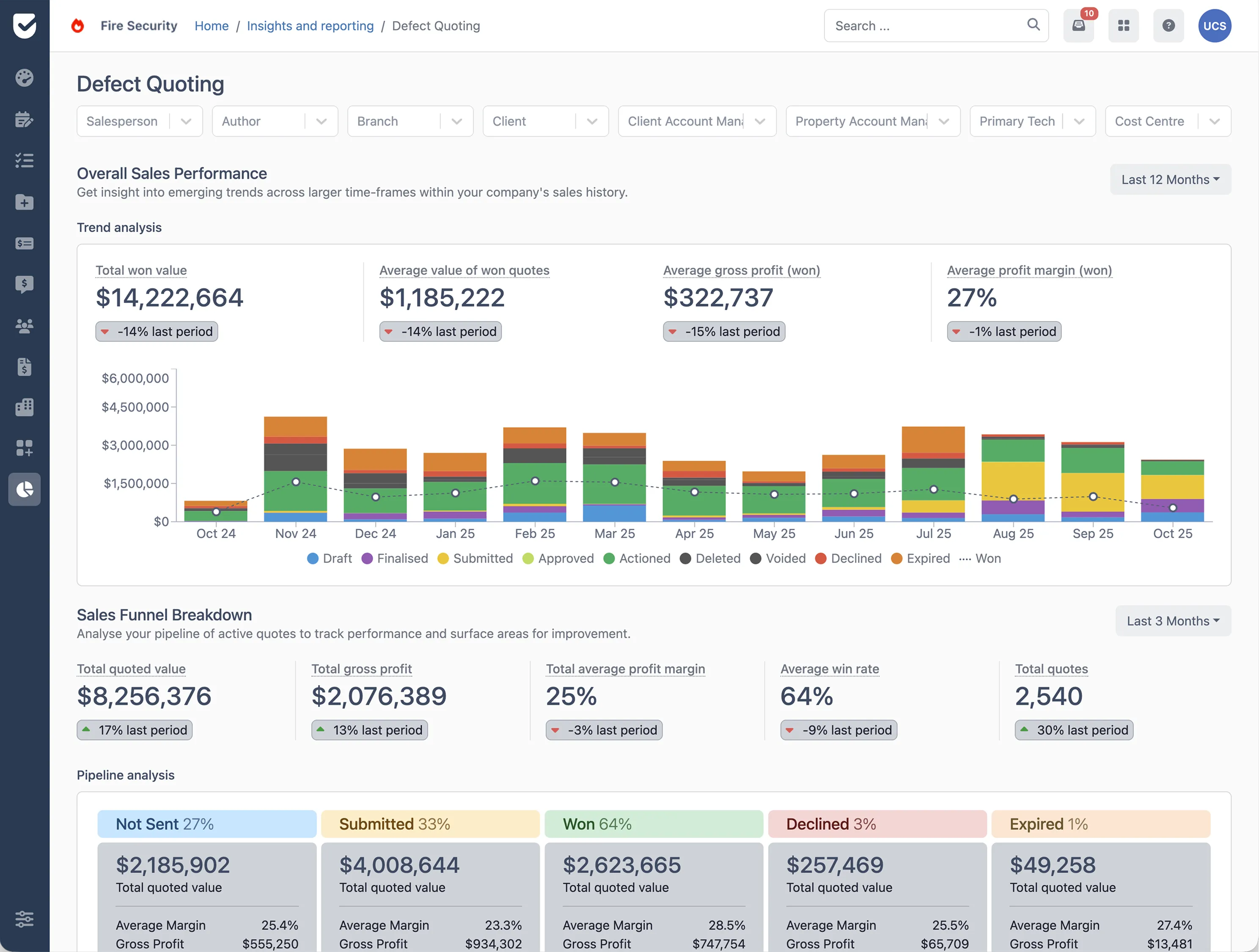
For management, Uptick provides visibility across the entire operation, including a customer portal, timesheets, insights, and reporting tools that help track performance, compliance, and workload across teams and locations.
If you’re looking to simplify AHJ reporting as you scale, book a demo to see how Uptick helps fire protection teams manage inspections, compliance, and reporting in one system.